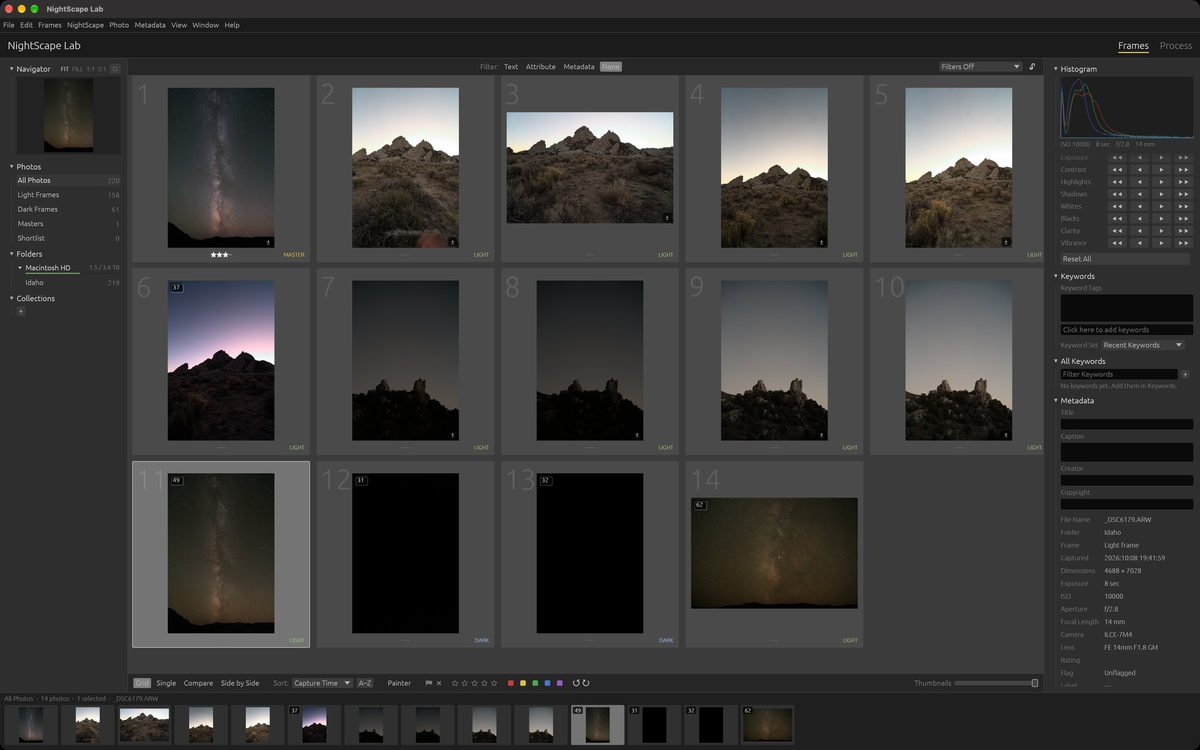
The best tool for Milky Way photos depends on the kind of photographer you are. Instead of another feature list, this guide sorts the field by exactly that, and recommends honestly, including when the answer isn't NightScape Lab.
Most software roundups walk through tools one by one. I have one of those too, and it's genuinely useful: the best astrophotography stacking software page profiles each stacker in depth. This page works the other way around. You tell me who you are, and I tell you where to start. Find yourself below, and if a competitor fits you better than NightScape Lab, I'll say so.
You shoot a few nights a year, on a Mac
Get Starry Landscape Stacker (~$40). It's the mature one-click nightscape stacker for macOS: feed it a burst of frames and it hands back a clean stacked sky over a sharp foreground with almost no decisions to make. For someone who chases the Milky Way core two or three times a season and mostly wants noise gone, that's the whole job, done well, for the price of a tank of gas. You'll still finish the image somewhere else (Lightroom, Photoshop, whatever you already use), but as a stack-and-done tool it has earned its reputation.
Consider NightScape Lab instead only if the "somewhere else" part bothers you, that is, if you'd rather the stack, the star handling, and the finish live in one place. More on that below.
You're on Windows and want free
Use Sequator. It's free, it's built specifically for nightscapes, and it's genuinely good at aligning a starry sky over a fixed foreground with minimal fuss. If your budget for this hobby is currently zero, Sequator is the honest recommendation and I won't pretend otherwise. It stacks and stops there, so color, star handling, and the rest of the finish are still on you afterward, but as a free entry point into landscape astrophotography it's hard to fault.
When you outgrow it, it's usually for one of two reasons: you want more control over the stack itself, or you're tired of shuttling files between the stacker and your editor. Both are the gap NightScape Lab was built for, and it runs on macOS, Windows & Linux.
You want star trails, not pinpoint stars
Trails are a different craft: instead of freezing the sky, you let it draw. StarStaX is the classic answer, free and cross-platform, with the well-known lighten blending and gap filling that most trail photographers learned on. If trails are an occasional experiment for you, start there and spend nothing.
If trails are part of your regular repertoire, NightScape Lab includes Star Trails in the desktop app: five looks (Solid, Comet, Meteor, Fade, Vortex), gap filling, and hundreds of full-resolution RAWs in minutes. You can also send the night from the Lightroom Classic plugin. The Star Trails example is 176 frames near Grand Junction in four of those looks. It's not a reason to buy on its own, but if you're buying the app anyway, it replaces a separate trails program.
You've bought a tracker and you're drifting toward deep sky
Once a star tracker enters the picture you've left nightscape territory, and the tools change. For tracked wide-field and deep-sky stacks on a Mac, Starry Sky Stacker ($24.99, from the same developer as Starry Landscape Stacker) is a tidy, affordable step. If you're going all the way in, PixInsight (~$323) is the deep-sky powerhouse: unmatched control over every stage of calibration and processing, in exchange for a famously steep learning curve and real time investment.
I'll be plain here: NightScape Lab is a landscape astrophotography tool. It stacks a sky over a foreground; it is not trying to be a nebula pipeline. If deep sky is where you're headed, those tools are your world, and the per-tool roundup covers that side of the field fairly.
You want one app for the whole night
This is the photographer I built NightScape Lab for, so weigh what follows accordingly. The app stacks and finishes the night itself: calibrated RAW stacking, Masking so you can paint the sky mask and restack, white balance and defringe on a clean 16-bit linear base image, star removal and reduction, the color-matched Foreground Sky Merge, and Star Trails. It runs on macOS, Windows & Linux. It's coming soon. One $129 purchase covers the app and, as extras, a Lightroom Classic plugin and a Photoshop panel on macOS & Windows. The plugin can send a night from the catalog and bring the base image back. 30-day money-back guarantee. No trial.
Two honest notes about the neighbors. The RC Astro plugins ($49.95 to $89.95 each, $189.80 for the Photoshop bundle, all one-time licenses) are excellent single-purpose tools, and they can sit next to NightScape Lab; plenty of photographers will run both. Topaz makes capable noise reduction but moved to subscription-only pricing in 2025, so if a one-time purchase matters to you, factor that in. My own position on noise is that stacking twenty real frames beats a guess about one.
The short version: occasional Mac shooter, Starry Landscape Stacker. Windows on a budget, Sequator. Trails, StarStaX or NightScape Lab's built-in engine. Tracker and deep-sky ambitions, Starry Sky Stacker then PixInsight. You want to stack and finish in one desktop app, NightScape Lab.
Where to go from here
If you want the tool-by-tool detail behind these recommendations, the stacking software roundup profiles each one, and the comparison page lines the landscape-astro field up feature by feature. If you already know stacking is the path and want the walkthrough, start with how to stack Milky Way photos.
30-day money-back guarantee. If it's not for you, email for a full refund, no questions asked.